Shared Email Templates
Add a clickable button to an email template

To add a clickable button to an Outlook email template, follow these steps:
Start creating or editing a template.
On the template editor toolbar, select
 Insert button.
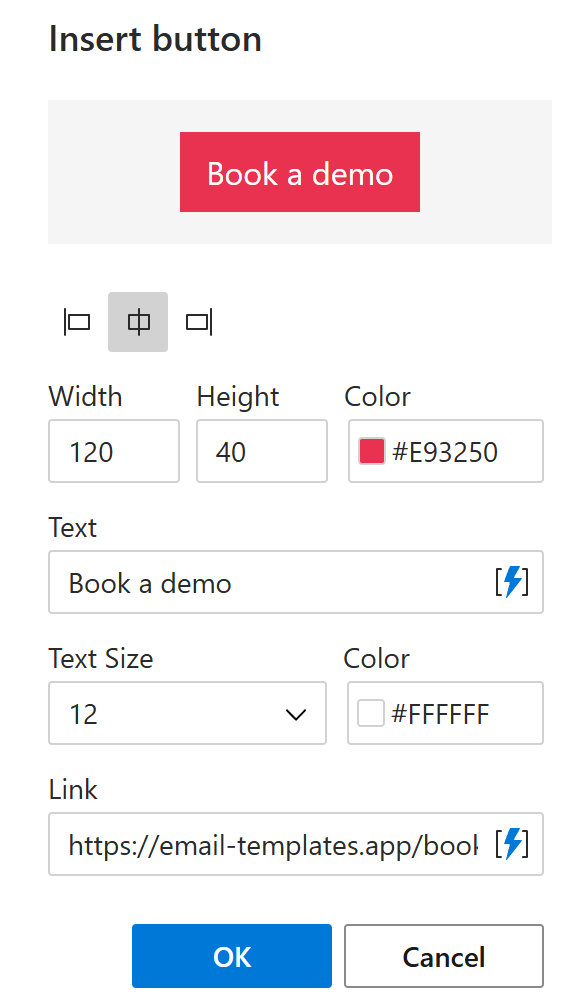
In the dialog that will appear, specify the button dimensions and alignment, choose colors, and decide what text and link your button will have.
When you’re finished, select OK.
Save your message template.
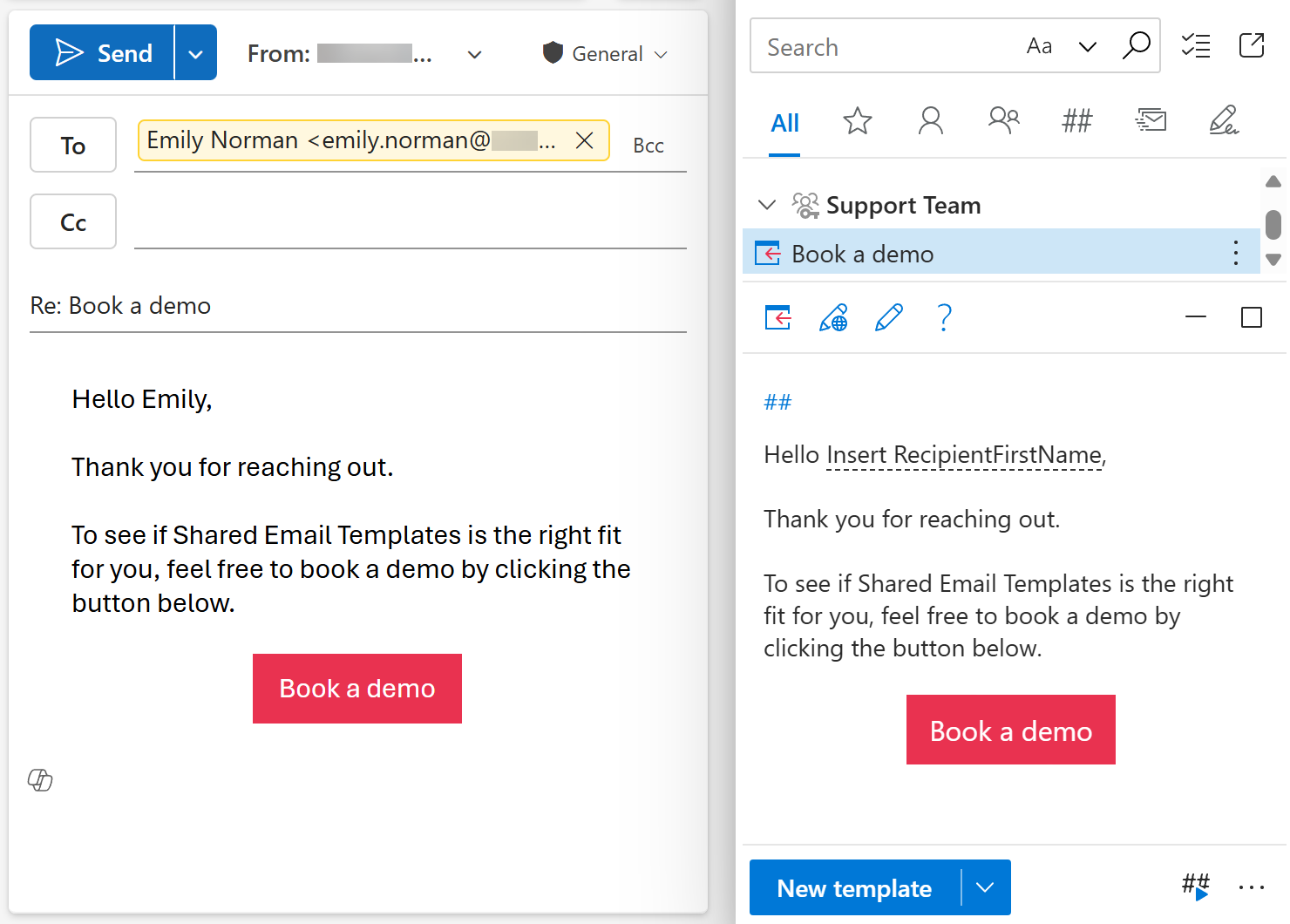
When you use the template, the clickable button will appear in your Outlook email.