
How to manage subscriptions
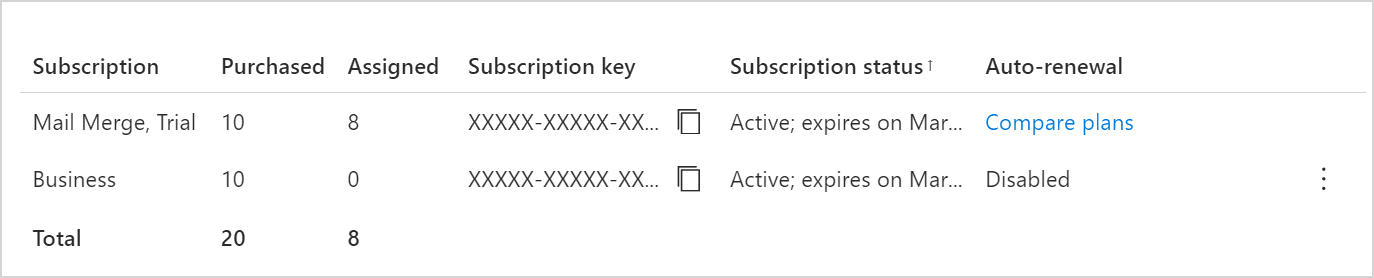
If you’re an admin in a Shared Email Templates company account, you can view all associated subscriptions by opening the More menu in the lower-right corner of the Shared Email Templates pane in Outlook and selecting Company account.

The Shared Email Templates app will open in your default browser, and you’ll see the list of subscriptions in the Account details section.
In this section #
Buy a Shared Email Templates subscription
Find out how to purchase a subscription for your company account from the web app.Assign a subscription key to users
Learn how to add a subscription key to your company account and assign it to users.Renew a subscription
See how how to renew your subscription.Change the number of subscription seats
Learn how to increase or decrease the number of seats in your subscription.