
Shared Email Templates
Delete user accounts
If you’re a Shared Email Templates company account admin and need to delete a user account, follow the steps below.
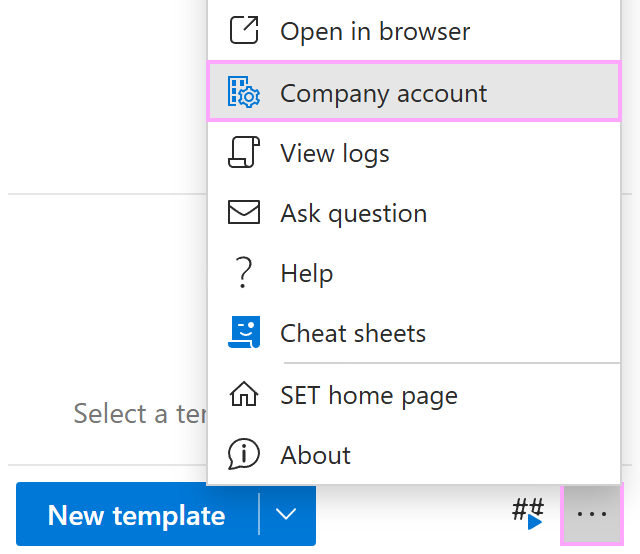
In Outlook, open the Shared Email Templates pane. Then go to the More (…) menu and select Company account.
In the Shared Email Templates app in your browser, go to the Users section.
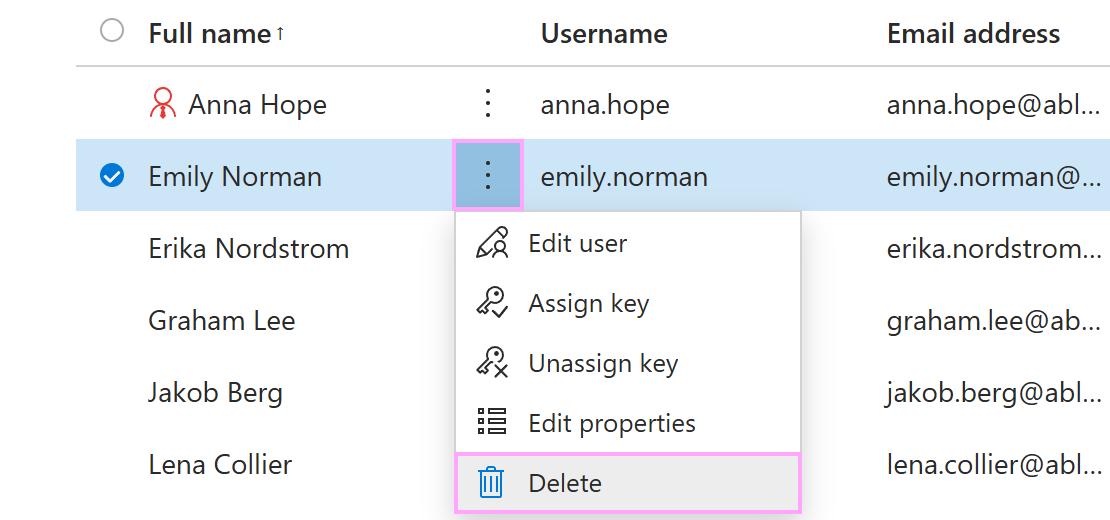
In the user list, select the three dots next to the user’s full name and select Delete.
In the Delete dialog, confirm the deletion by selecting Delete.