
Admin consent when deploying the add-in via the Microsoft 365 admin center
When deploying Shared Email Templates 2 through the Microsoft 365 admin center, you’re prompted to review the following permissions on behalf of your organization:
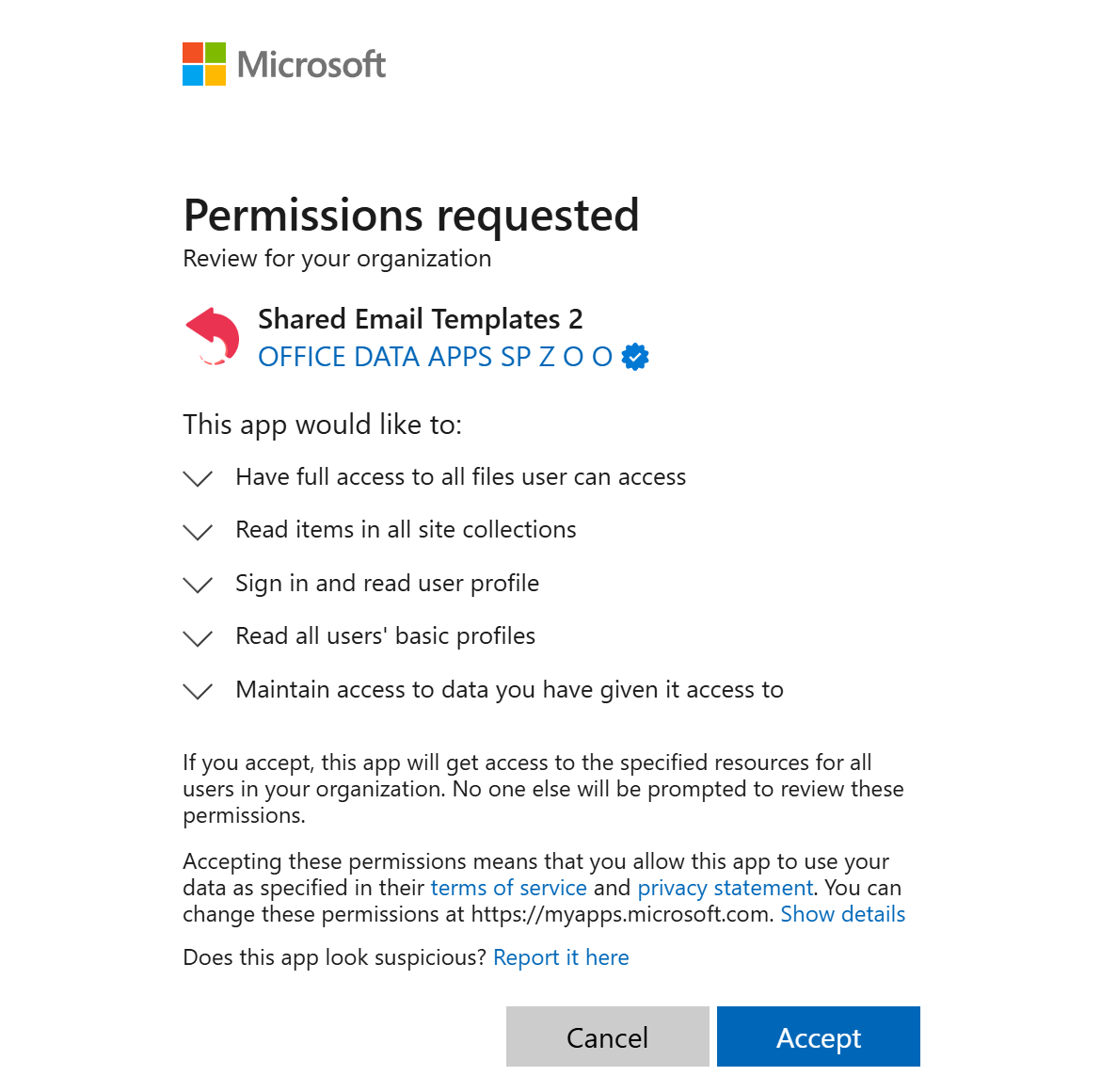
Have full access to all files user can access
We use this permission to read the list of your OneDrive or SharePoint folders and files when you attach your files or insert pictures. Also, we use this permission to upload a local file to your OneDrive or SharePoint when you use the corresponding feature.Graph API permission Files.ReadWrite.All Graph API permission display name Have full access to all files user can access Link to the permission description https://learn.microsoft.com/en-us/graph/permissions-reference#filesreadwriteall Read items in all site collections
We use this permission to read the list of your SharePoint folders and files when you attach your files or insert pictures. Also, we use this permission to upload a local file to your SharePoint when you use the corresponding feature.Graph API permission Sites.Read.All Graph API permission display name Read items in all site collections Link to the permission description https://learn.microsoft.com/en-us/graph/permissions-reference#sitesreadall Sign in and read user profile
We use this permission to create your Shared Email Templates user account and identify you when you sign in. Also, we use this permission to read your name, email address, picture, and other properties of your Microsoft user profile when inserting a template into the currently composed message if the template contains the corresponding fillable fields.Graph API permission User.Read Graph API permission display name Sign in and read user profile Link to the permission description https://learn.microsoft.com/en-us/graph/permissions-reference#userread Read all users’ basic profiles
We use this permission to read basic properties of other user profiles in your organization when you invite users to your Shared Email Templates company account. The permission is requested by the Shared Email Templates control panel (the Company account option) in your web browser.Graph API permission User.ReadBasic.All Graph API permission display name Read all users’ basic profiles Link to the permission description https://learn.microsoft.com/en-us/graph/permissions-reference#userreadbasicall Maintain access to data you have given it access to
We would like not to use this permission but currently it is obligatory for all consent requests. You can find more details in the Microsoft developers’ explanation.The permission is requested by the Shared Email Templates add-in to be used locally in the add-in pane in your Outlook and by the Shared Email Templates control panel (the Company account option) in your web browser.
Graph API permission offline_access Graph API permission display name Maintain access to data you have given it access to Link to the permission description https://learn.microsoft.com/en-us/graph/permissions-reference#offline_access