
Make a shareable email template for Outlook
In this article

Create a template from the selected email #
If you want to create a template using any of your Outlook email messages, follow the steps below.
In Outlook, select the email that you want to save as a template.
At the bottom of the Shared Email Templates pane, click the down arrow on the New template button and select a location for your email template: My templates (your personal folder) or a team.
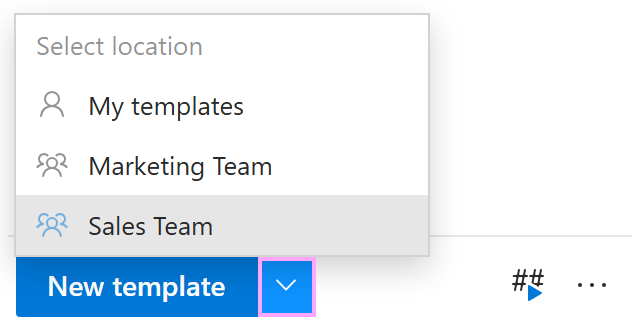
Alternatively, you can select My templates, a team, or a subfolder first, and then click the New template button.

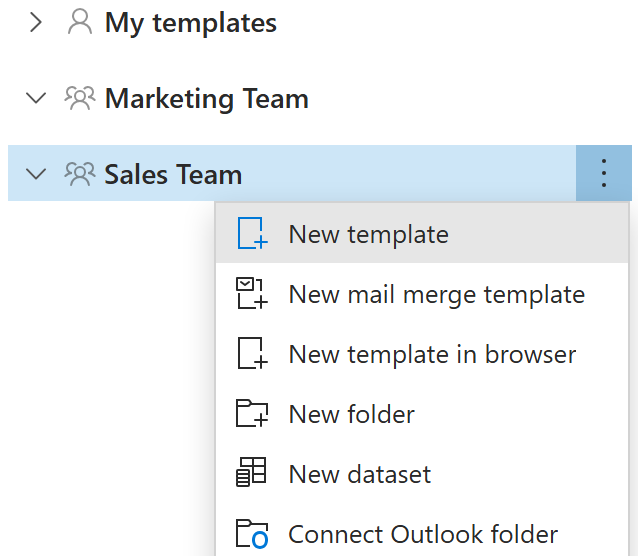
Also, you can right-click My templates, a team, or a subfolder and use the New template option.
Use the Create template dialog to specify what you want to keep in the template:
- Formatting and images
- Subject
- Recipients
- Attachments (if any)
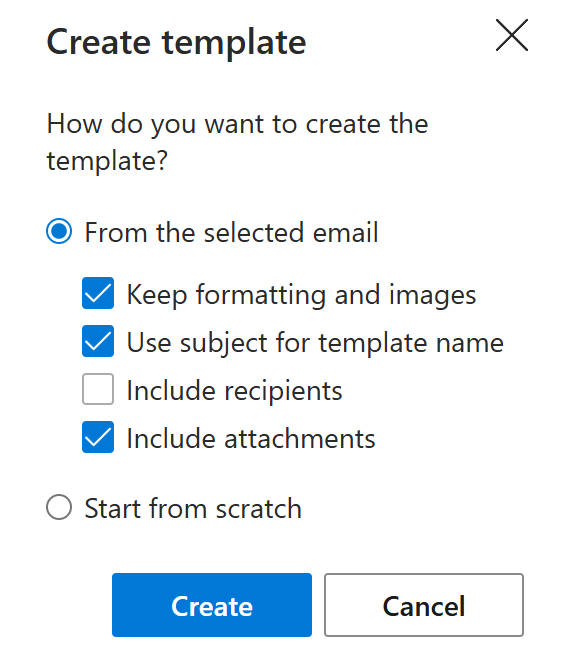
Then click Create.
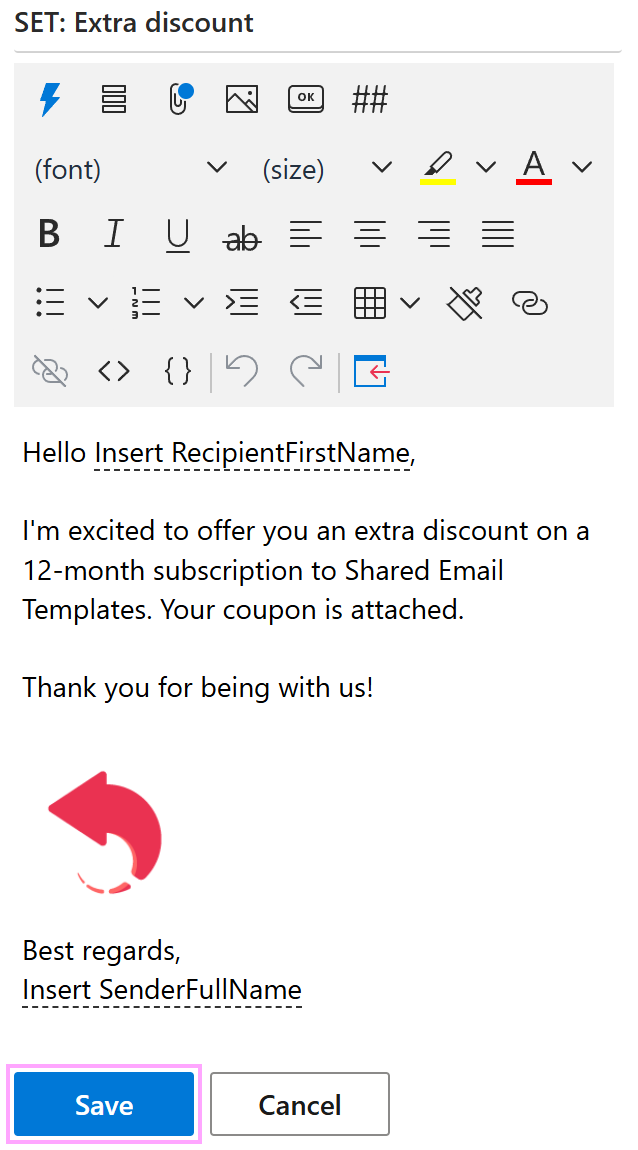
When the template editor opens, make any necessary changes to your template. You can also customize the template. For example, you can:
- Add a personalized greeting.
- Automatically fill in the To, Cc, or Bcc field.
- Attach files.
- Insert images.
- Create custom input fields.
- Insert the sender’s name.
When you’re finished, click Save.
Create a template from scratch #
To create an Outlook email template from scratch, follow these steps:
At the bottom of the Shared Email Templates pane in Outlook, click the arrow next to New template. Then choose where to save your email template: in your personal My templates folder or in a team.
You can also create a template in either of these ways:
- Select My templates, a team, or a subfolder and click the New template button.
- Right-click My templates, a team, or a subfolder and select New template or New template in browser from the context menu.
In the template editor, enter a template name and add the content you want to reuse. You can also personalize and automate your template with built-in macros. When the template is ready, click Save.
Create a template from an email you’re composing #
If you want to create a template from an email you’re composing in Outlook, here’s what to do:
When composing a new email or replying to a message in Outlook, select the content you want to save as a template.
In the Shared Email Templates pane, click the down arrow on the New template button.
Choose a destination: My templates or a team.
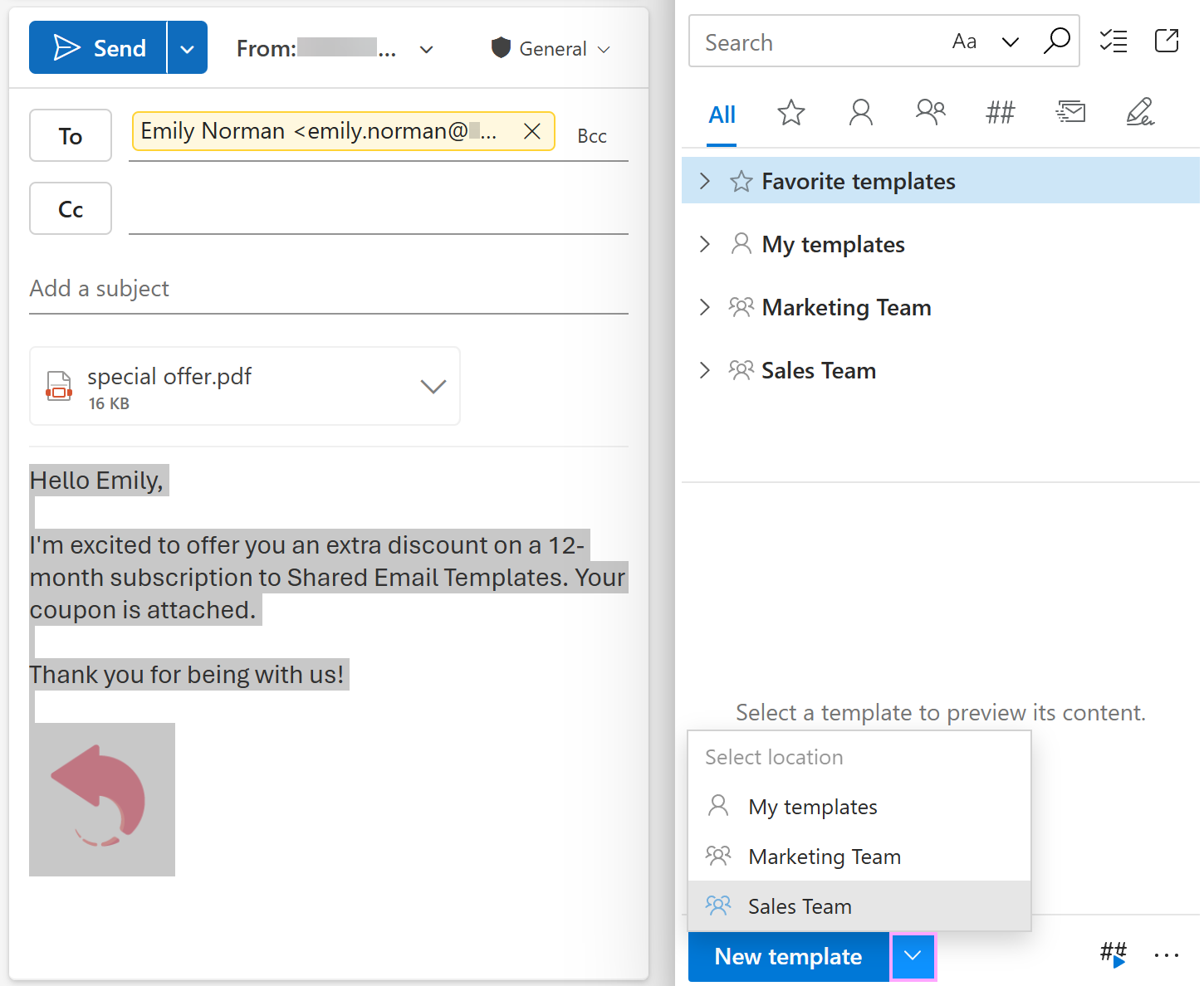
After selecting the email content, you can also create the template in any of the following ways:
- Select My templates, a team, or a subfolder and click the New template button.
- Right-click My templates, a team, or a subfolder and select the New template option.
The template editor will appear. Enter the name of your template, edit the content if needed, and then click Save.