
The add-in doesn't start or requires constant sign-in
If you can’t start the Shared Email Templates add-in in the classic Outlook for Windows, your system administrator might have prevented you from running it.
If the add-in works incorrectly, for example, if you have to sign in to it every time you start Outlook, the Office cache might be getting cleared.
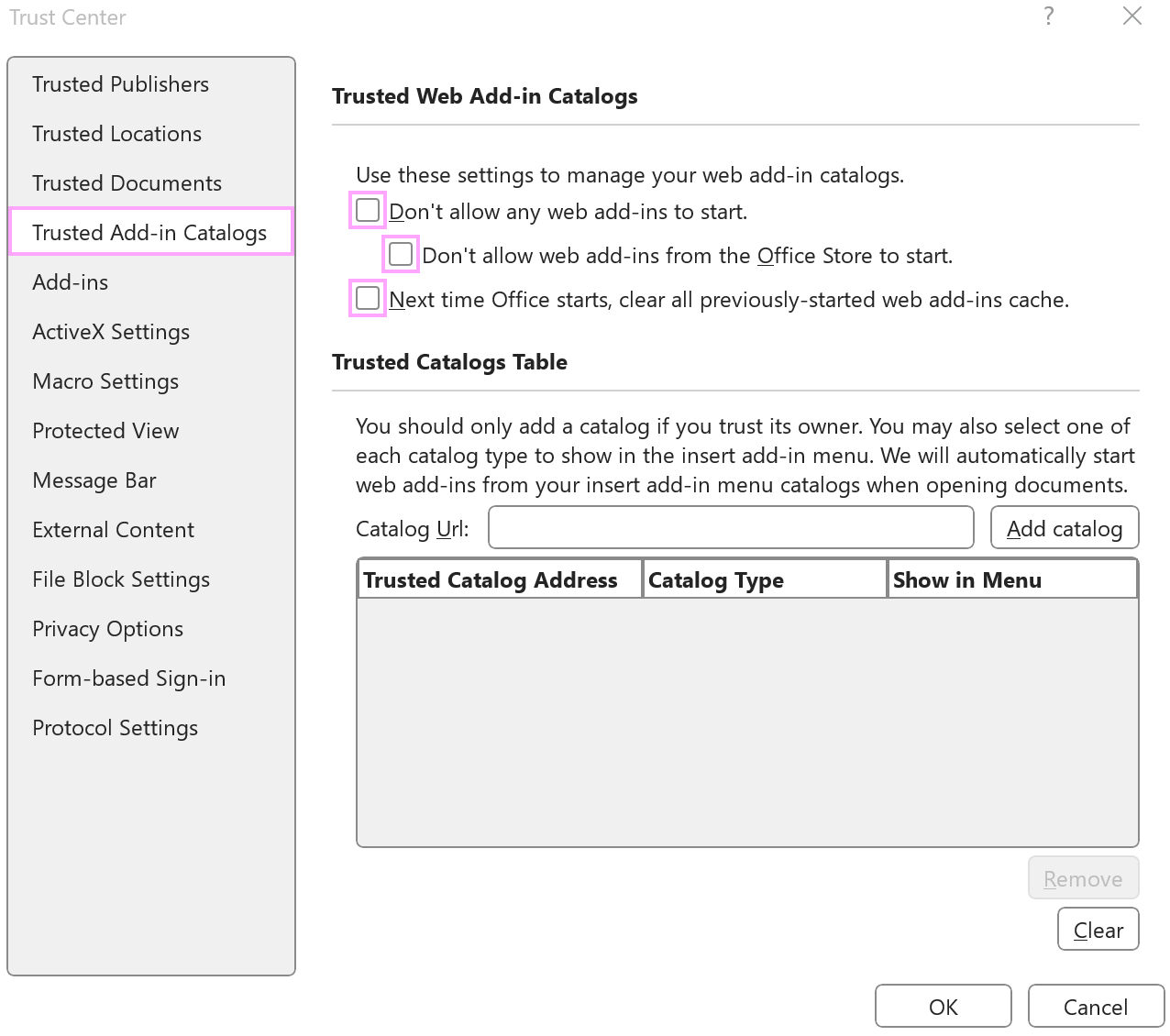
One of the options that clears the Office cache is Next time Office starts, clear all previously-started web add-ins cache in Microsoft Excel Trust Center. It clears cache not only in Excel but also in Outlook. To check this option, go to File > Options > Trust Center > Trust Center Settings > Trusted Add-in Catalogs.
For the add-in to work correctly, make sure that none of the checkboxes on the Trusted Add-in Catalogs tab are selected.
Alternatively, contact your IT team for assistance.