
Uninstall the add-in
In this article
The simplest way to uninstall the add-in is to uninstall it from Outlook Online. After that, restart your desktop Outlook client, and the add-in will be uninstalled there as well.
From the new Outlook for Windows #
On the navigation bar, select More apps.
Go to Add apps > Manage your apps.
Find Shared Email Templates 2.
On the More options menu next to it, select Remove.
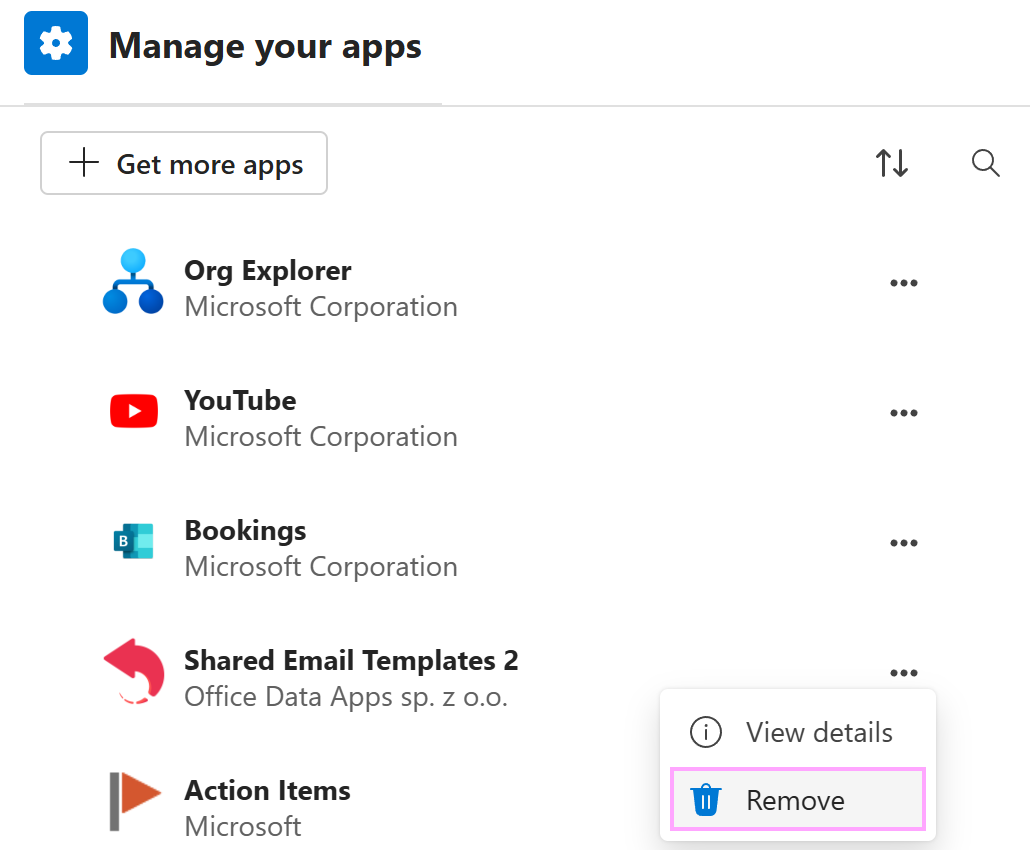
Confirm deletion by selecting Delete.
From the classic Outlook for Windows #
Select any email message.
On the ribbon, select All Apps.
Right-click Shared Email Templates 2 and select Uninstall.
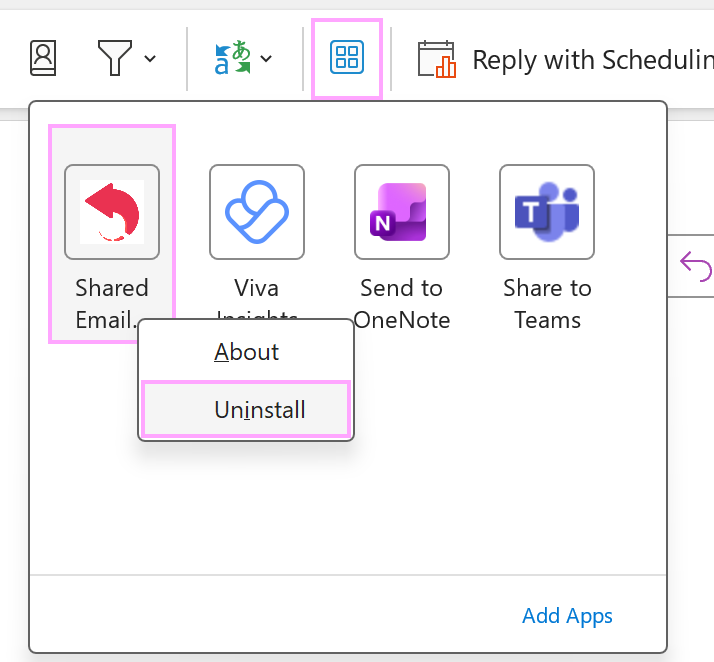
Confirm uninstallation by selecting Uninstall.
From Outlook for Mac #
Go to https://aka.ms/olksideload.
The Add-ins for Outlook dialog will automatically open. Select My add-ins.
Select Shared Email Templates 2.
Select Remove.
From Outlook Online (Outlook on the web, Outlook in your browser) #
On the navigation bar, select More apps.
Go to Add apps > Manage your apps.
Find Shared Email Templates 2.
On the More options menu next to it, select Remove.
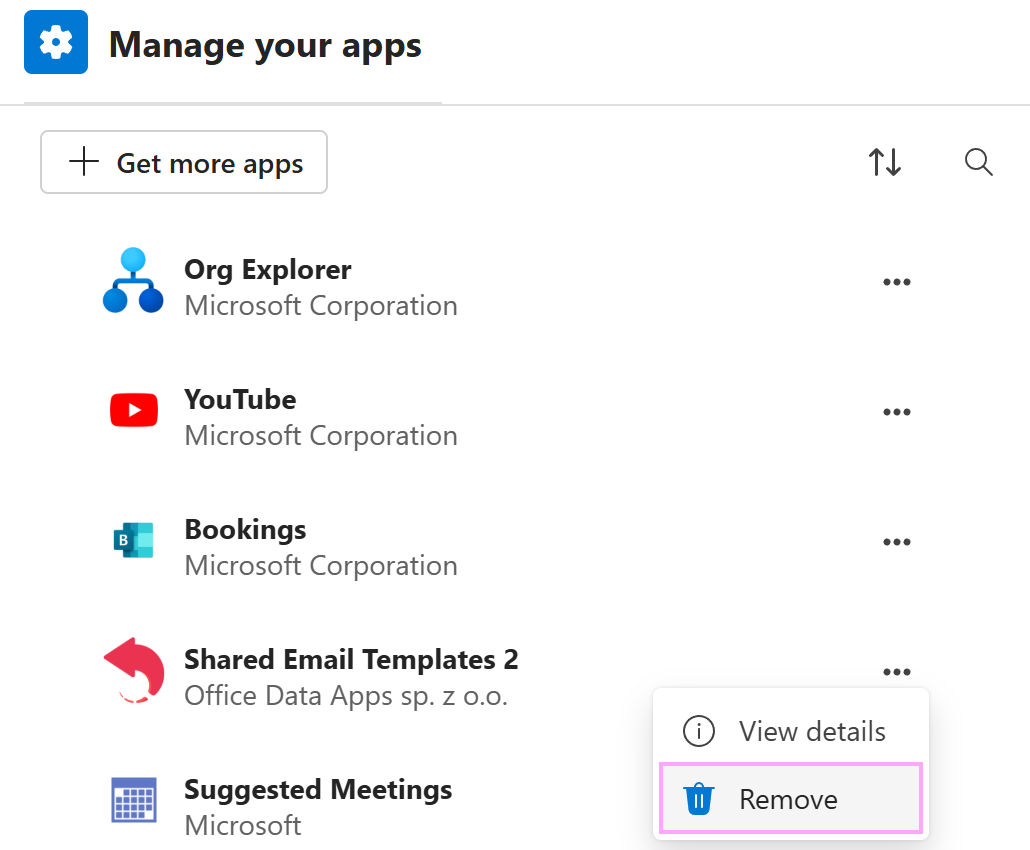
Confirm deletion by selecting Delete.