
Outlook email signature examples: for individual, teams and companies
In this article
By Svetlana Cheusheva, designs by Anastasia Yelina; updated on August 18, 2026
An experienced graphologist can uncover a surprising amount about someone from their handwriting. An average Outlook user can learn even more about a sender from their email signature. A well-crafted signature acts as a micro-landing page for every message you send. It may be the last thing your recipients see, yet it forms their first impression of your professionalism.
This guide provides examples of professional email signatures for different industries and roles, combining beautiful design with practical effectiveness.
Professional email signature Dos and Don’ts #
In 2026, professional email signatures are moving toward minimalist, mobile-first designs. A strong signature should be concise, easy to scan, and have a clear visual hierarchy, so recipients can find the information they need immediately.
What to include #
Here are the key elements you should include in your signature:
Full name and job title: State your name and role clearly. Avoid vague titles, unnecessary qualifications, or internal abbreviations that external recipients may not understand.
Company name: Include the name of your organization. A small company logo is optional but adds instant brand recognition.
Contact information: Add primary contact details that are most useful to recipients. Include your direct phone number, the main office number, and your business location.
Actionable link: Instead of crowding the space with numerous links or social media icons, focus on one clear call to action. This could lead to your company website, booking calendar, professional portfolio, or digital business card.
What to avoid #
Leave out elements that add clutter or distract from the essential information:
Animated GIFs: Many email clients do not display them correctly, so they just unnecessarily increase the email’s size.
Inspirational quotes, political, or religious statements: They often add visual noise and rarely strengthen professional credibility. They may be appropriate only when directly relevant to your work or public role (for example, as a writer, scientist, or politician).
Too many social media icons: Stick to one or two relevant platforms or drop them entirely (unless you are doing business through multiple social channels).
Lengthy legal disclaimers: Avoid massive blocks of text that are longer than the signature itself. Include one only when your organization, industry, or the sensitive nature of your communications requires it.
That said, best practices will always differ depending on your professional role. A vibrant layout that works nicely for freelancers and creative professionals (e.g. stylists, designers or actors) might be totally unacceptable for a formal corporate email signature.
The bottom line: The best signature is one that reflects your professional role, is understandable for the recipient, and looks good on both desktop and mobile devices.
Professional email signature examples #
Below you’ll find a few examples of professional email signatures, from classic corporate layouts to colorful, creative designs with banners, social links, and call-to-action buttons. Each example shows a different way to blend contact details and visual style, so you can find an approach that fits your role, industry, and communication goal.
Formal business email signature #
Clean, professional, and concise. The white background, dark text, and subtle blue accents keep the design crisp without feeling too heavy. A profile photo adds a personal touch, while contact details and social links are neatly organized for quick scanning. Its simple structure looks good in any email client and on any screen size.
This versatile layout works well for almost any professional email signature including corporate executives, C-suite professionals, lawyers, real estate agents, external auditors, consultants, and independent advisors.
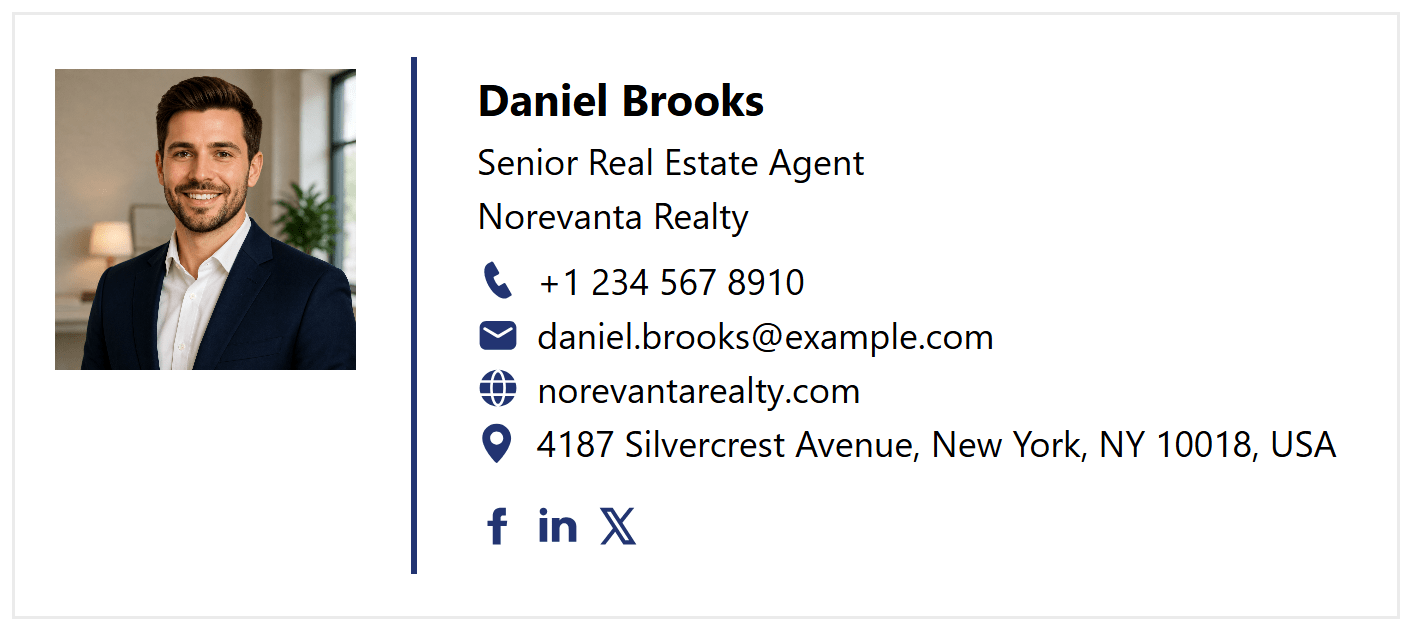
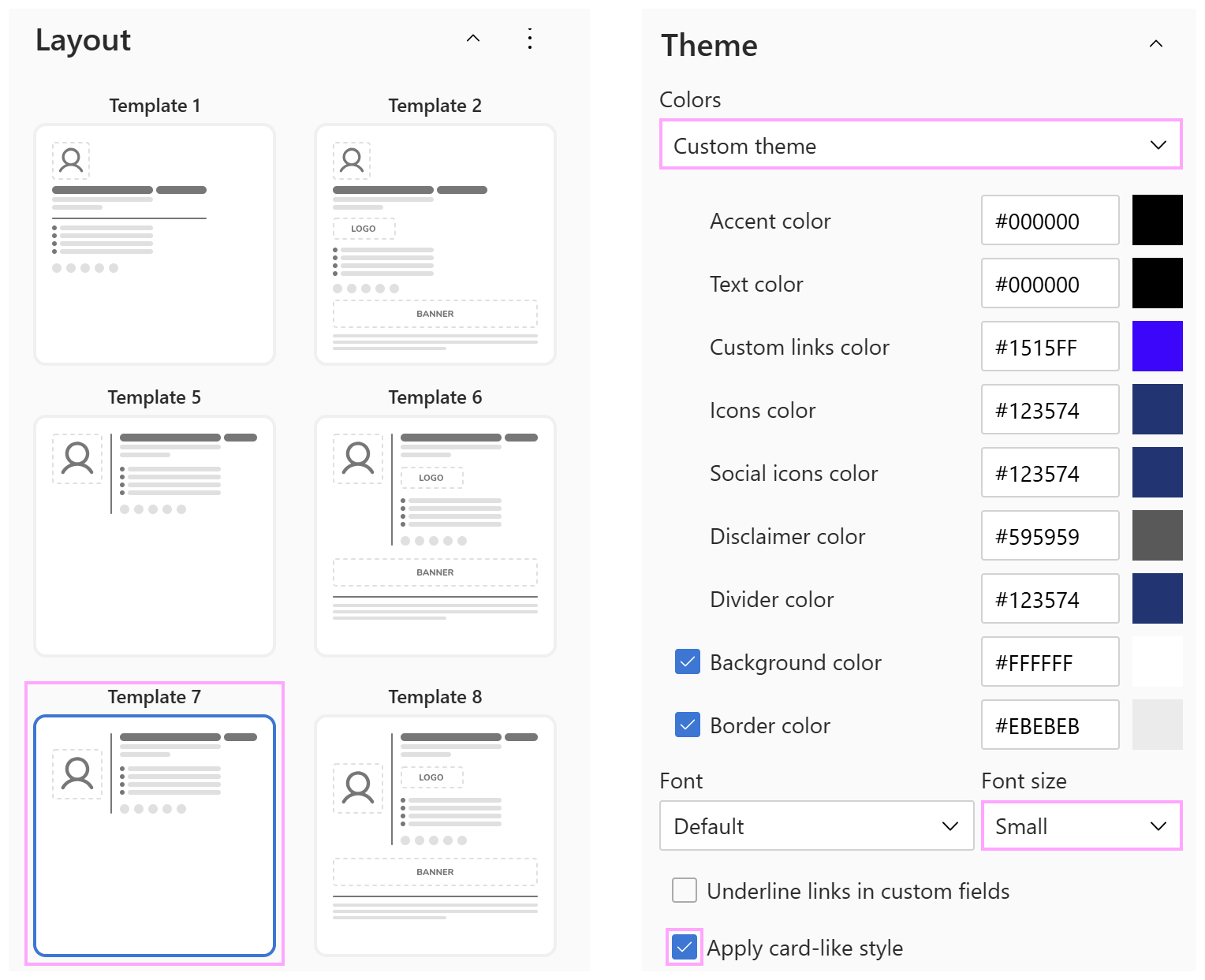
Signature template and colors:
This design was created using Shared Signature Templates. We selected Template 7 for its compact layout, started with the Base theme (black-gray-blue), customized the colors as shown below, and applied the card-like style.
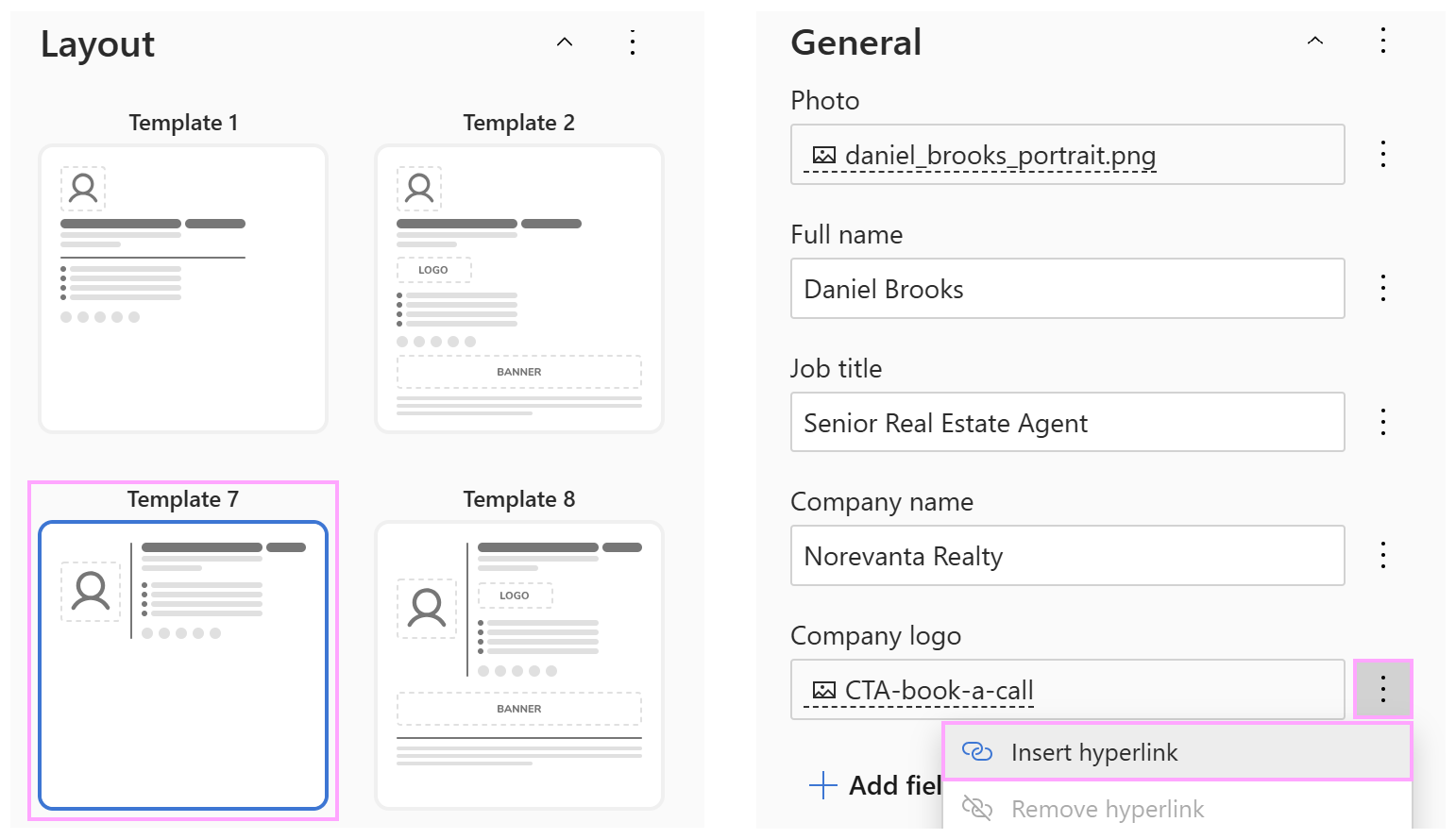
Promotional email signature with call-to-action #
This is a slightly more promotional take on the previous design. Along with the contact details, it includes a small branded banner with a clear call to action. This smart “two birds with one stone” solution reinforces brand recognition and gives recipients an easy next step.
This format works well for sales professionals and anyone who regularly invites clients to book a meeting, demo, or consultation.

Signature template used:
This signature is built using the same template and color theme as in the previous example. The main difference is that the social media icons have been replaced with a single clickable banner.
Business email signature with colorful accents #
A professional email signature doesn’t have to look dull or overly formal. If your goal is to make a positive first impression and show a bit more personality, try adding brighter colors that complement your brand.
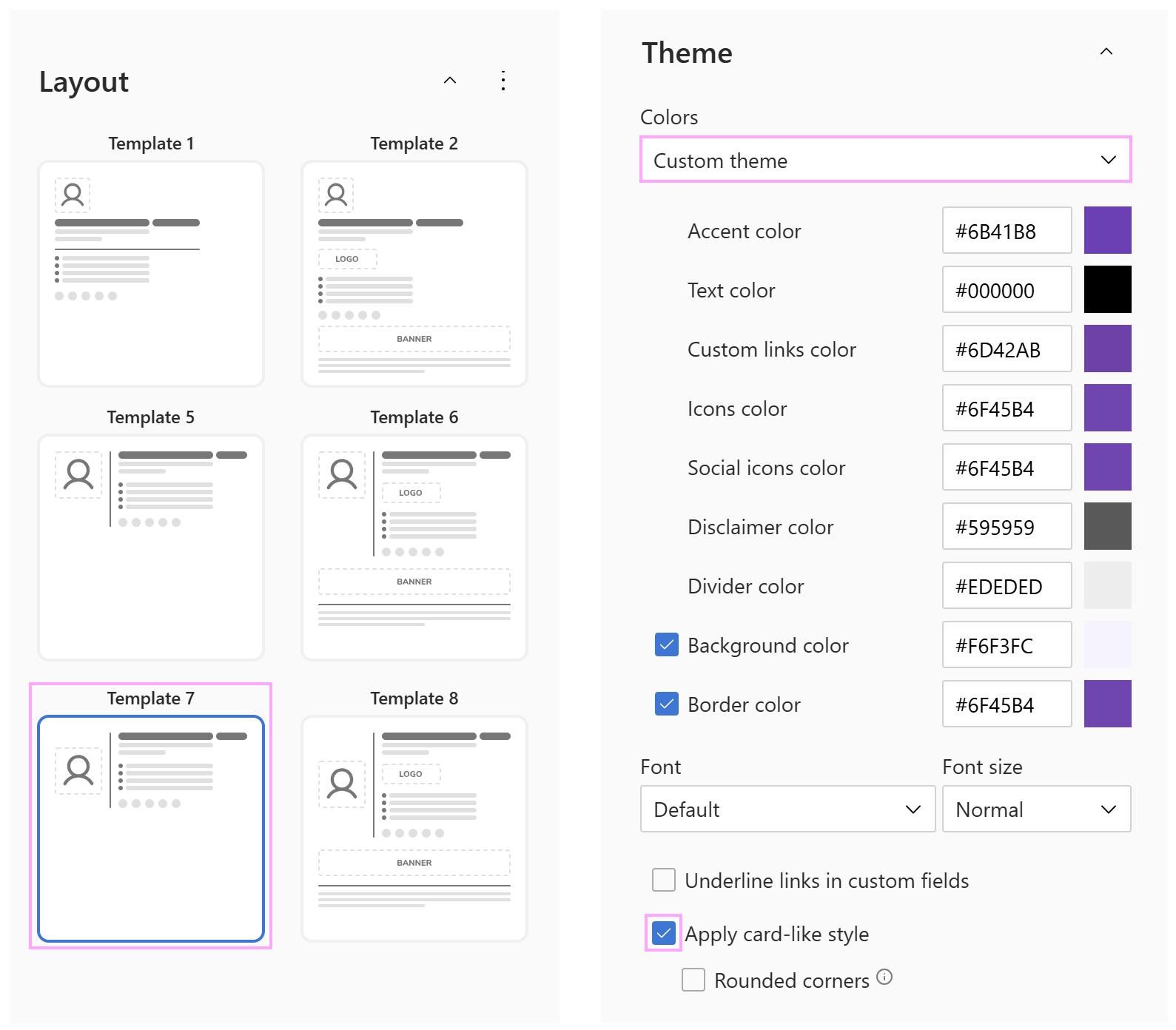
The same signature template can look completely different when you switch from neutral corporate shades to a brighter, more expressive color palette. Just remember to check your company’s brand guidelines before experimenting with colors. :)

Layout and colors used:
This example uses the same easy-to-scan layout as more traditional designs, but the purple accents and soft background give it a warmer, more modern feel.
Creative signature with photo gallery and actionable button #
This email signature is for creative people whose work is best shown rather than described. The warm neutral color palette and a compact contact details block keep the design professional. A photo gallery gives recipients an immediate glimpse of your style, and the View Full Portfolio button invites them to explore more of your work.
This is an ideal design for photographers, designers, artists, stylists, videographers, and other creative professionals who want to showcase their work directly in their email signature and guide contacts to a portfolio or project page.

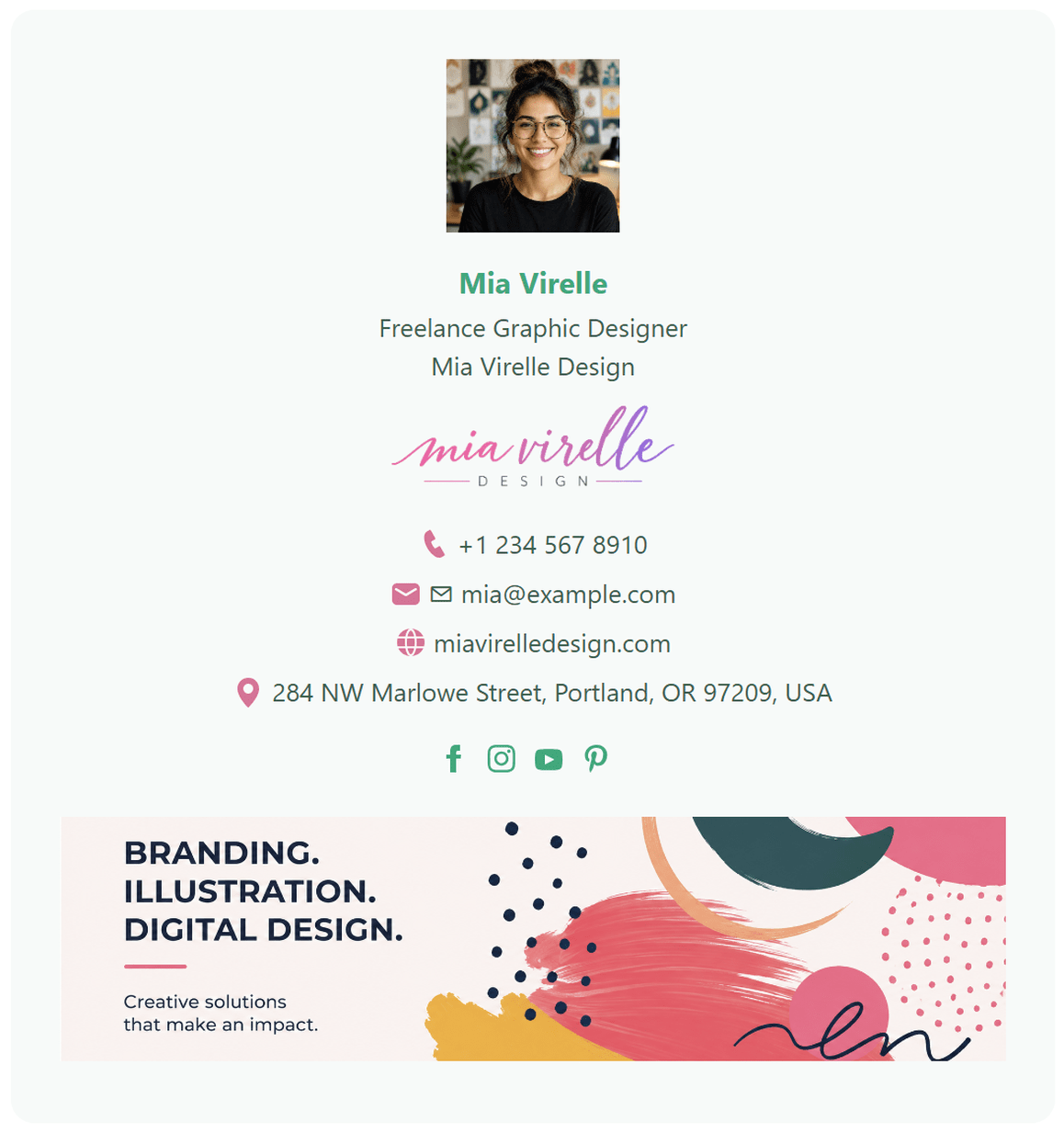
Freelance graphic designer email signature #
For freelancers, a professional email signature can matter even more than it does for corporate employees. The right first impression can help turn a prospect into a client, while a poorly designed one can cost you an opportunity.
Without strict corporate guidelines to follow, freelancers have more freedom to experiment with colors, typography, logos, and other elements. Just remember to keep the balance. Your email signature is not your portfolio page or website feed, so resist the temptation to pack in too much.
This example uses a personal photo, branded logo, social media links, and a colorful banner to bring in some character while keeping the main contact details easy to find.
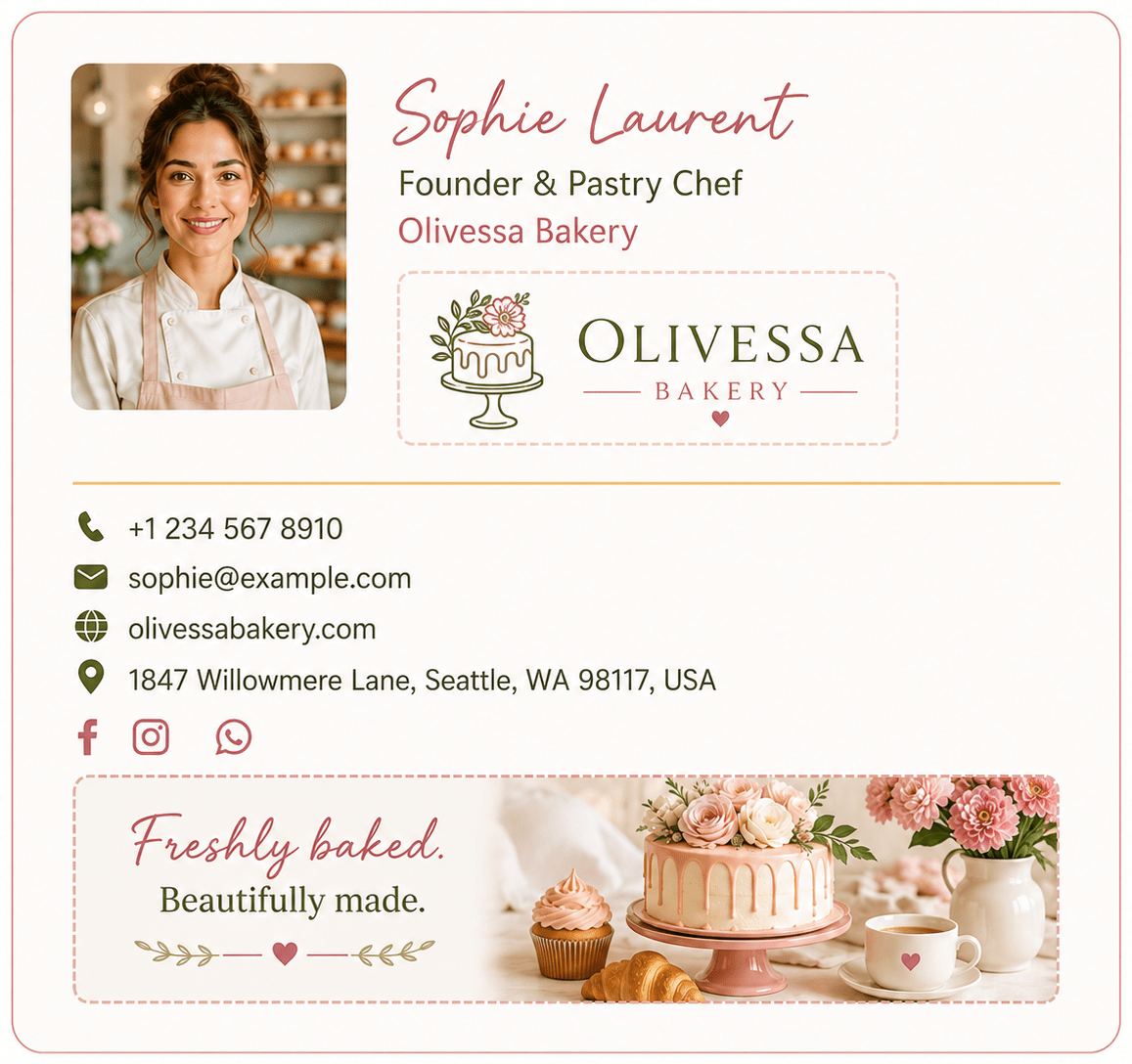
Small business owner signature #
For small business owners and local service providers, a real face can make a big difference. A friendly photo helps put a person behind the business.
No formal attire or a strict corporate look. Your signature communicates your character, responsiveness, and hospitality. Everything, from your headshot to the fonts, contributes to the overall impression of your business.
This style is appropriate for bakery and café owners, florists, local retailers, craftspeople, and other independent service providers who want their emails to feel warm, recognizable, and true to their brand.
Minimalist professional email signature #
This laconic and understated signature is a good choice for professionals who prefer substance over visual decoration. With a monochrome palette, simple logo, and plenty of white space, nothing distracts from the primary contact details.
The structured layout gives it a precise, confident feel. It works especially well for architects, IT professionals, engineers, scientists, analysts, consultants, and other specialists who favor a clear, no-nonsense presentation.

Team email signatures #
For efficient team collaboration, a uniform email signature is more than a nice-to-have. It is the key to presenting your team as one coordinated unit. No matter which colleague sends the email, recipients see the same branding and company information every time.
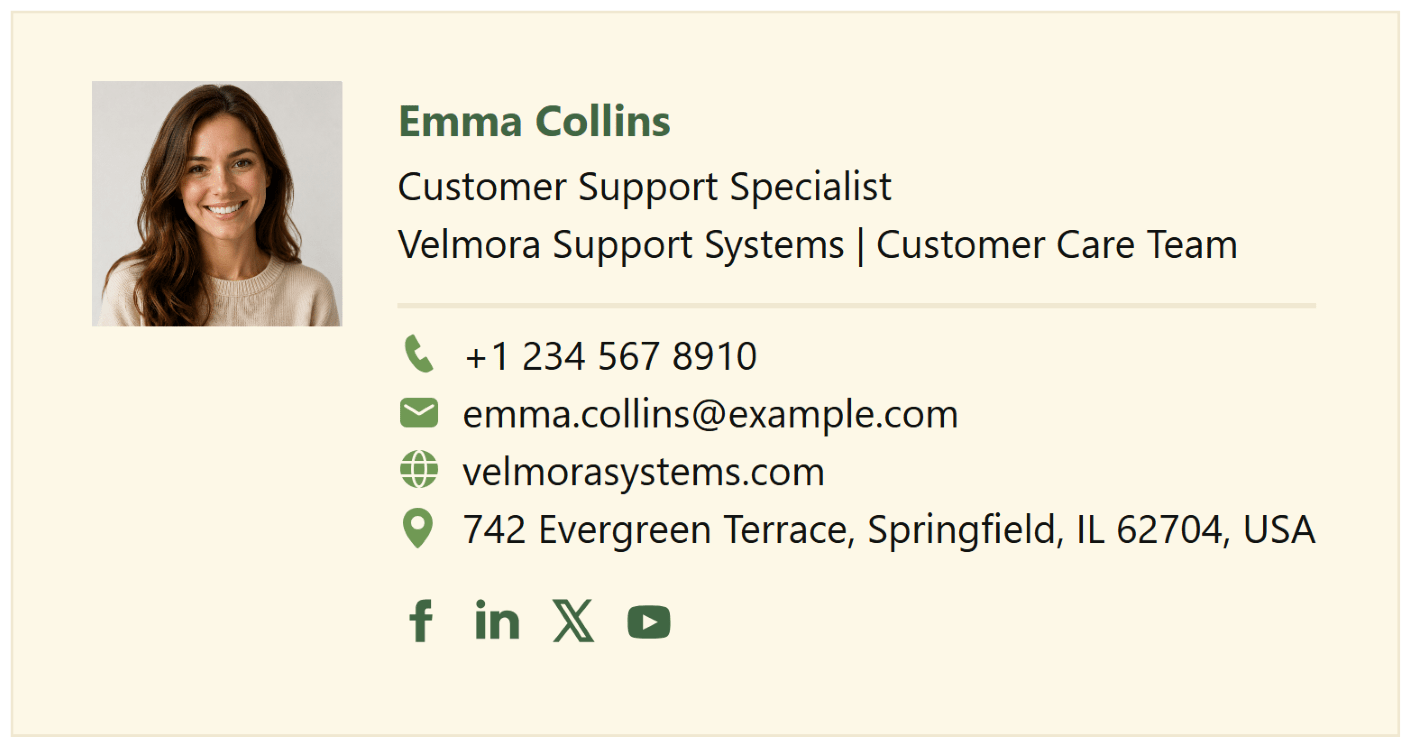
Customer care / Support team signature #
A friendly and professional look of this team signature sets the right tone from the start. The classic layout highlights the team member’s name, role, department, and contact details without adding unnecessary distractions. A calm, welcoming color palette creates a reassuring impression and inspires confidence.
It is an especially good fit for front office and customer-facing teams where clarity and trust matter.
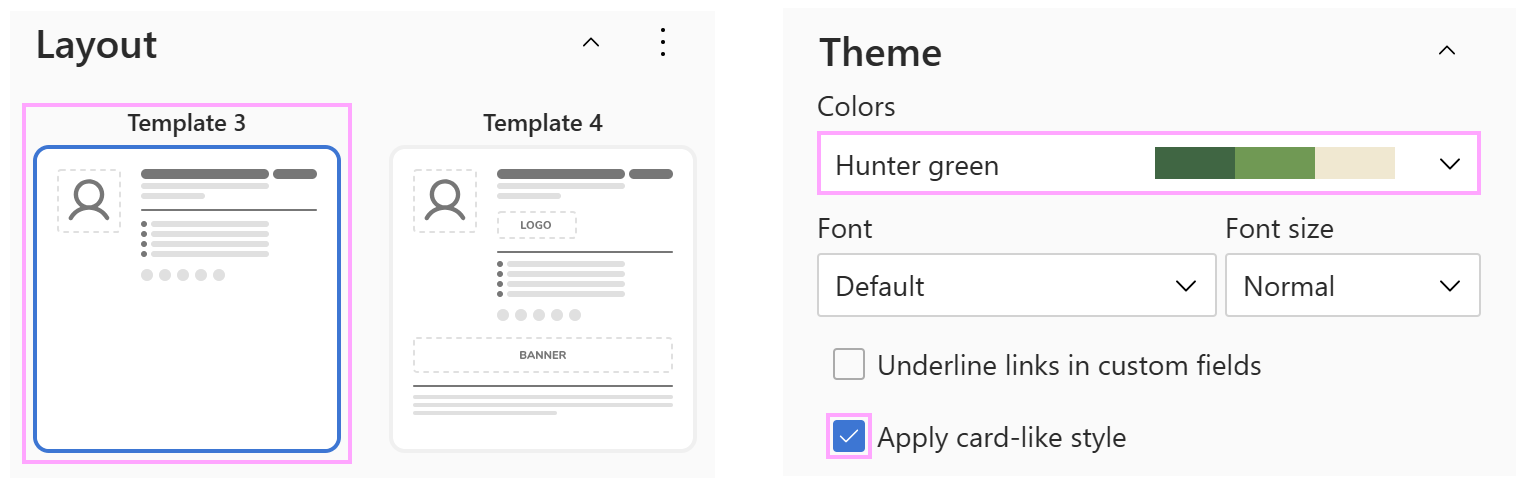
Layout and colors used:
A minimalist layout is paired with the Hunter green theme to give the signature business-friendly look.
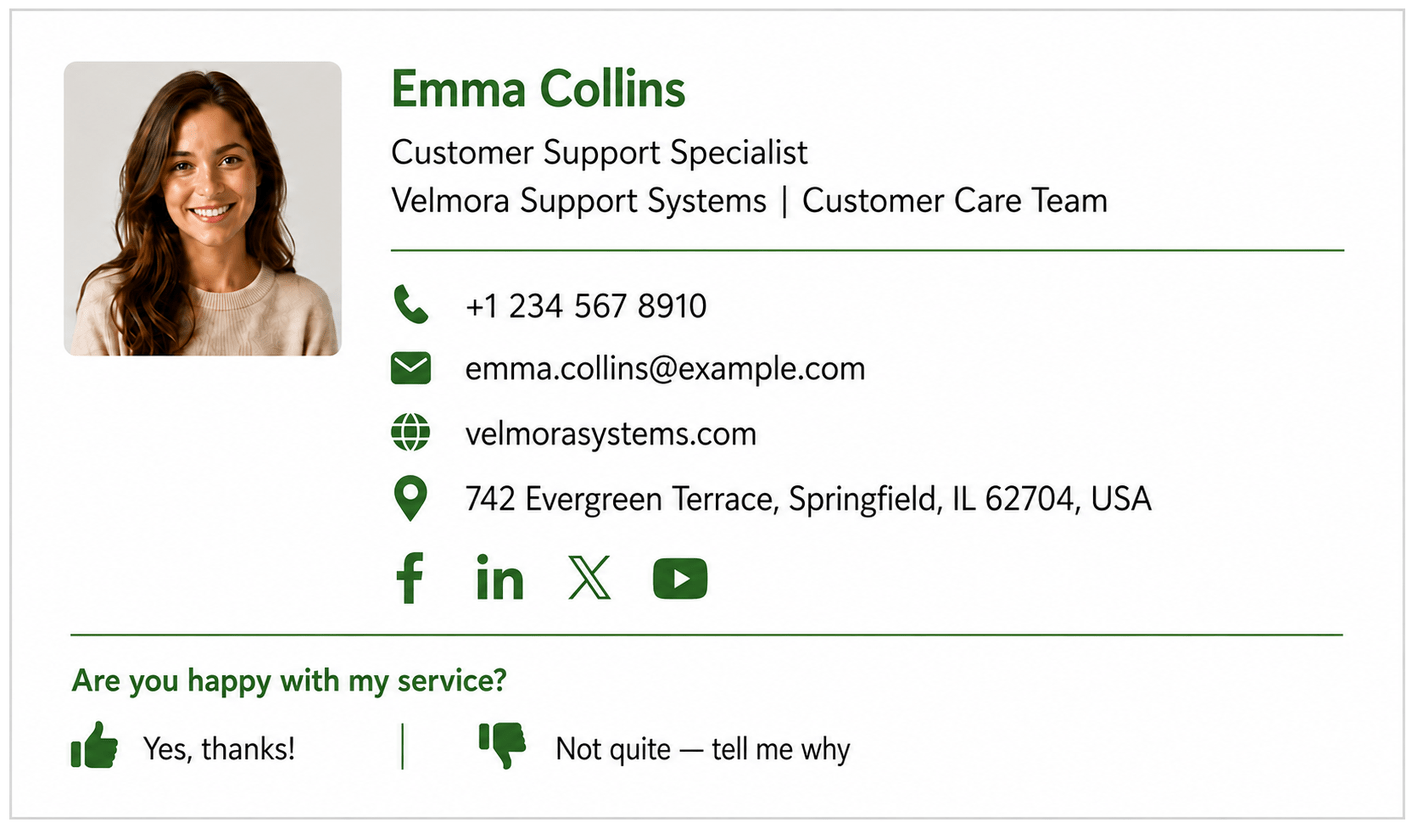
Customer support team signature with feedback buttons #
If you want to collect immediate feedback on your service, add a couple of simple action buttons that lead to a feedback form or rating page on your website. The key is to find the right balance, so the buttons are easy to notice without overpowering the essential contact details.
For support desks, help centers, and customer success teams, this is a practical way to measure satisfaction while the interaction is still fresh in the customer’s mind. It also gives unhappy customers a quick opportunity to report what went wrong, so your team can follow up and improve their experience.
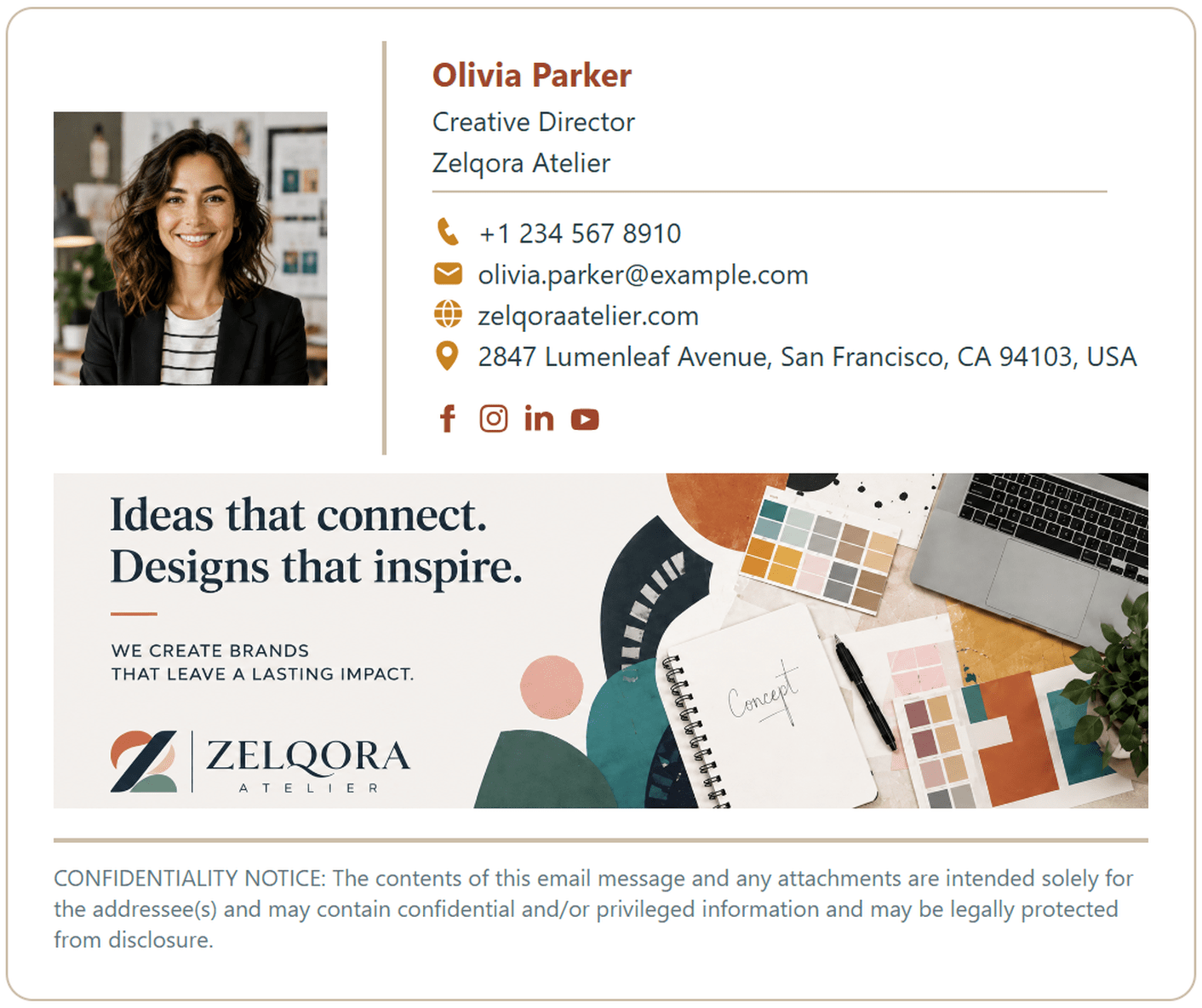
Creative team email signature with a banner #
If your job involves innovation and visual storytelling, your email signature can be a natural extension of your personality. This example combines a professional contact block with warm accent colors, social media links, and a large branded banner.
This design is well suited to teams of designers, marketers, branding specialists, and other creative professionals who want their signature to feel distinctive without losing a professional appearance.
Signature template and color theme:
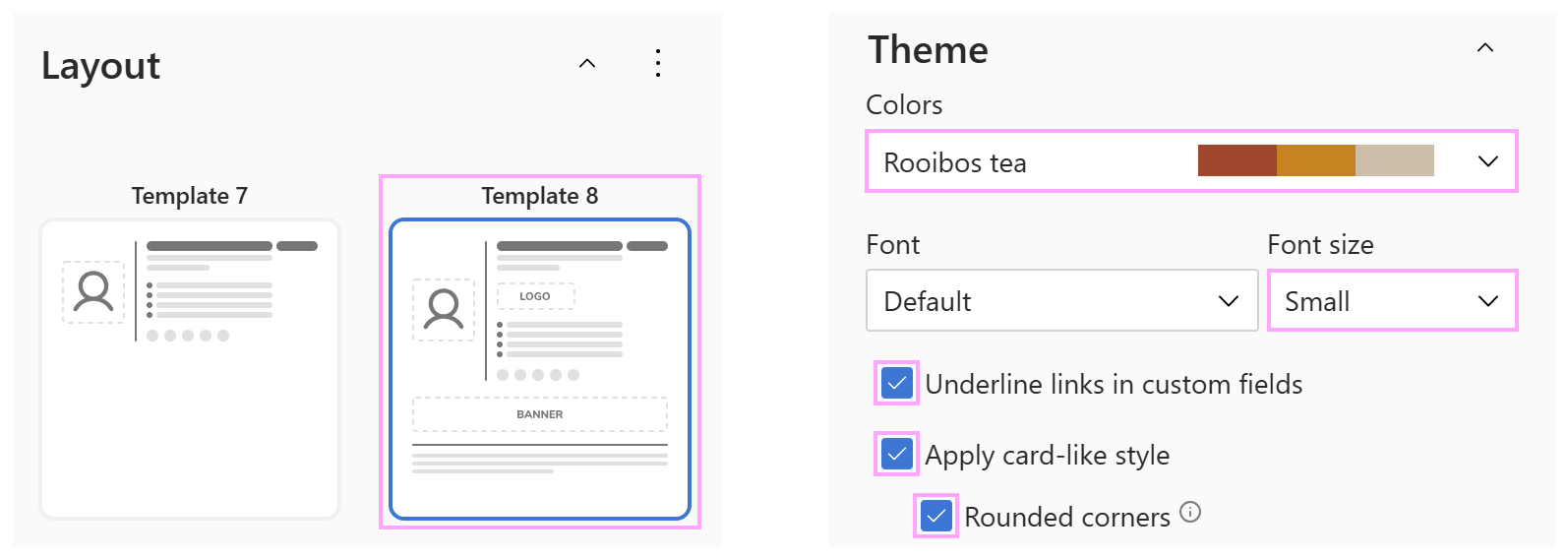
This signature is created using the built-in Rooibos Tea color theme, with a card-style layout and rounded corners. To keep the design light and balanced, we use a white background with a subtle warm beige border that complements the theme.
Company email signatures #
If you want all email communications in your organization to present a cohesive company image, you can create a unified organization-wide email signature.
Branded company signature #
For large companies and international organizations, consistent email signatures are part of the company’s brand identity, not a matter of personal preference.
This signature example keeps the design simple and standardized, with a prominent company logo, approved brand colors, and standard fonts. Personal customization is kept to a minimum, and all departments follow the same overall design. The company brand is the main focus across all email communications.

Personalized company signature #
This version keeps the same company style but gives each employee a bit more individuality. The employee’s photo and name stand out, adding a human touch without changing the organization’s overall style.

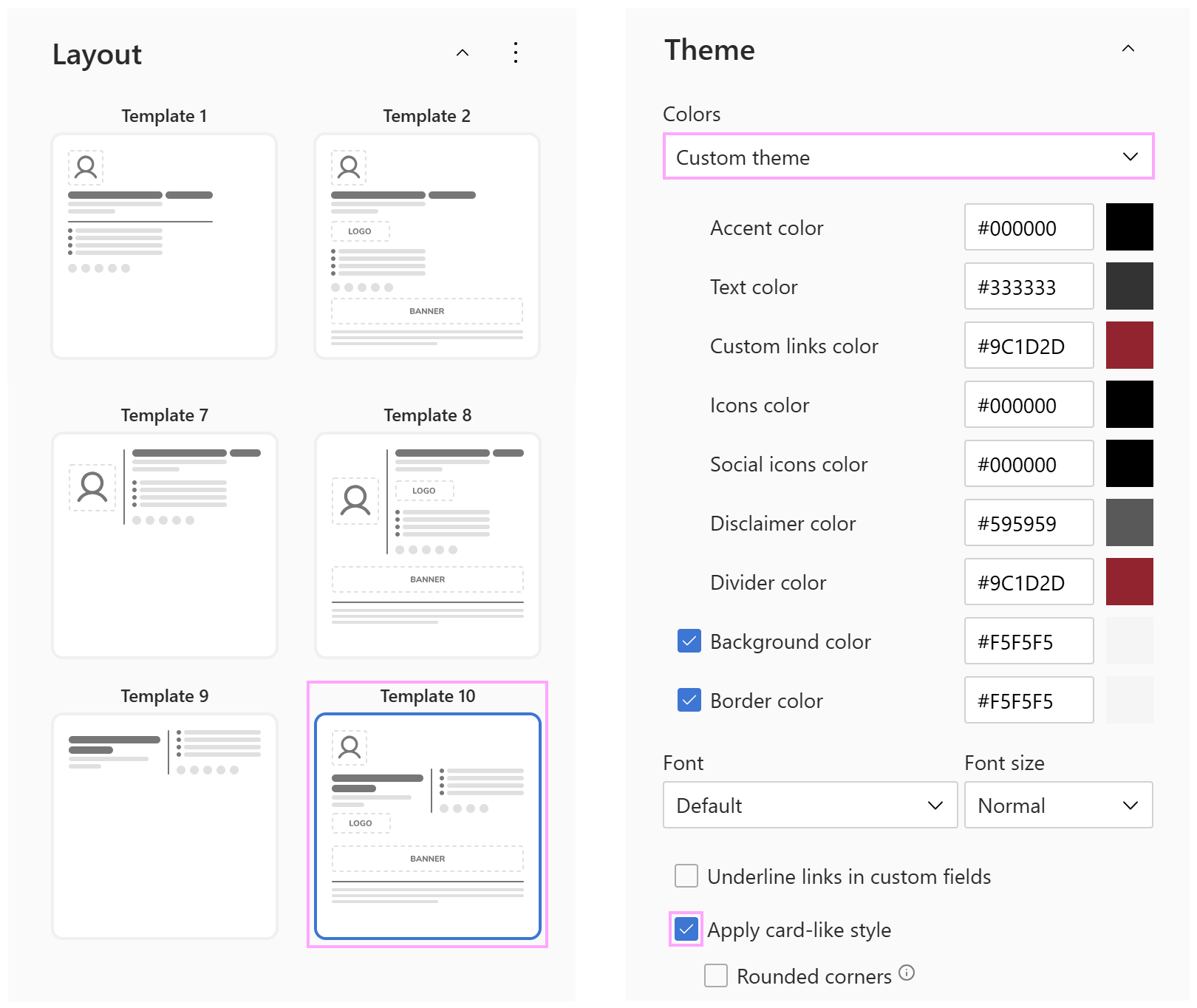
Signature template and colors:
For this signature example, we used the feature-rich Template 10 but left out the bottom banner and confidentiality notice. You can add either of these elements later if needed, and they’ll fit naturally into the existing design.
Healthcare organization signature #
For healthcare, education and social institutions, trust and credibility are the two cornerstones. Here’s how the organization-wide signature contributes to that image:
A personal photo taken in the workplace, with the clinic environment and company branding visible in the background.
Calm and reassuring colors. One main blue is supported by a few lighter shades, creating subtle and elegant accents.
A neat, structured layout makes the doctor’s name, role, clinic, and contact details easy to find.
Minimal decorative elements keep the focus on the person and the organization.

Recruitment / HR company signature with call-to-action #
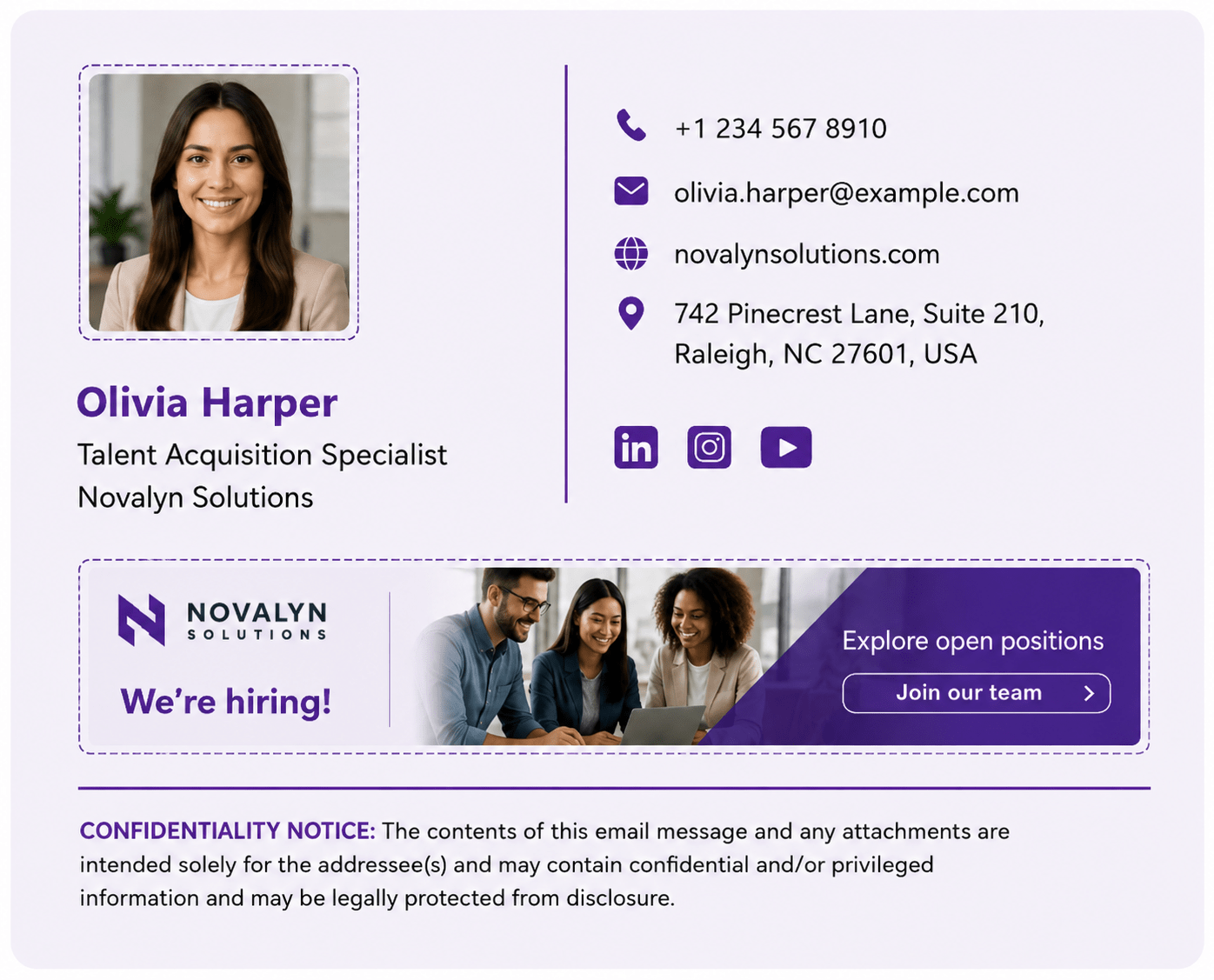
For recruitment, HR, and staffing companies, the main goal is to attract candidates and encourage them to explore open roles. This signature uses strong, vibrant colors and puts the main focus on a clickable hiring banner that leads to current job opportunities. A confidentiality notice at the bottom reminds recipients that the message may contain sensitive or private information.
With this approach, every recruiter email becomes an opportunity to attract new talents.
And that’s pretty much it! Hopefully, these examples gave you some inspiration to create your own sign-off style. Even if you prefer to keep your email signature simple and small, it still deserves something better than “Sent from my iPhone” 😊